Wireless Network
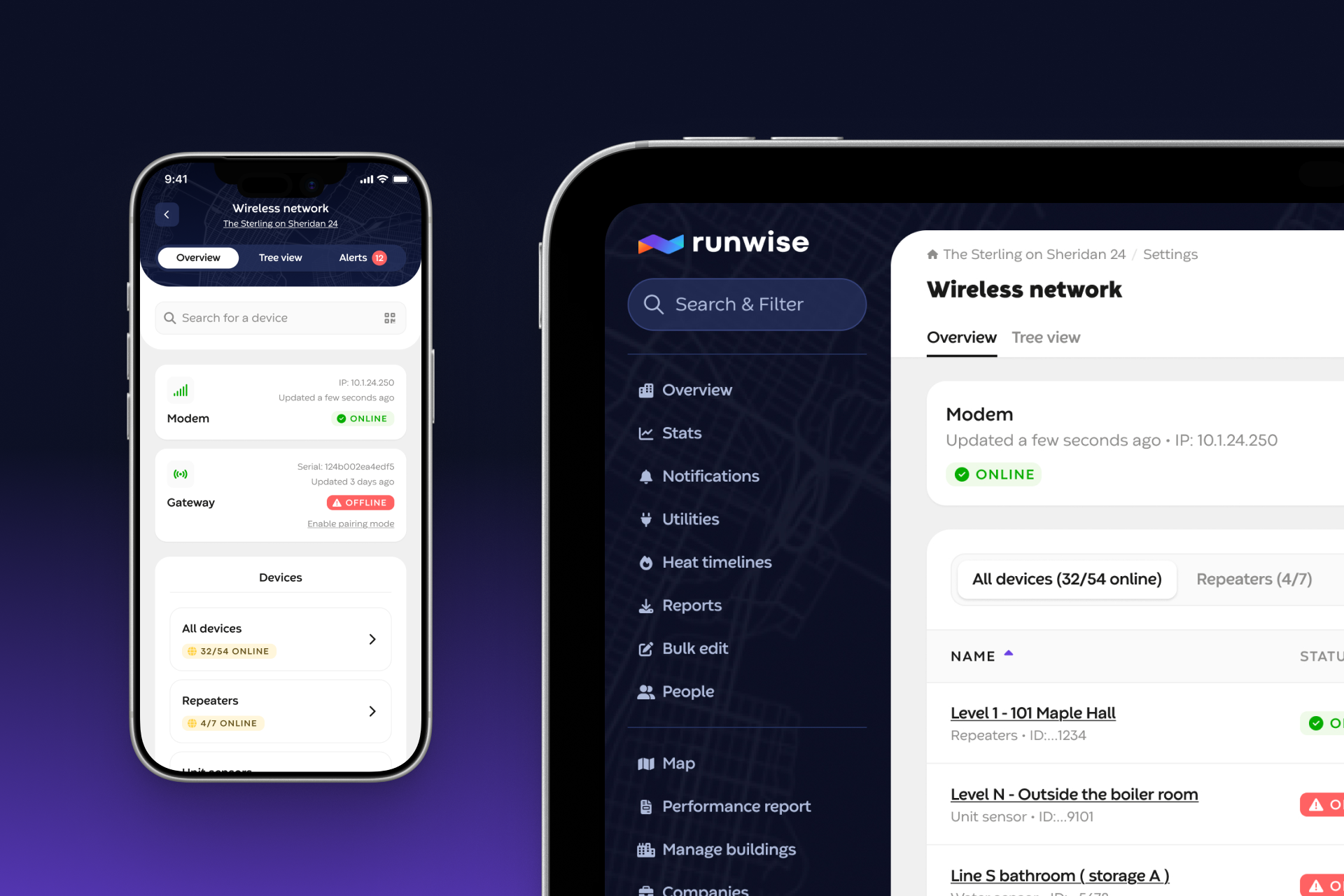
Runwise runs on data from thousands of battery-powered sensors spread across every floor of a building. The Runwise Wireless Network is the proprietary mesh network that keeps them all connected, and the software that lets a property team see, diagnose, and extend it from a phone, a tablet, or the device in their hand.
The Challenge
A mesh network is only as good as its weakest link
Pre-war buildings are hostile to radio frequency networks: thick masonry walls, long hallways, and basements interfere heavily with connectivity of standard radio frequency protocols. Hundreds of battery-powered devices per building have to stay connected for years without a problem, and a single dead repeater can quietly take a whole branch of the network offline.
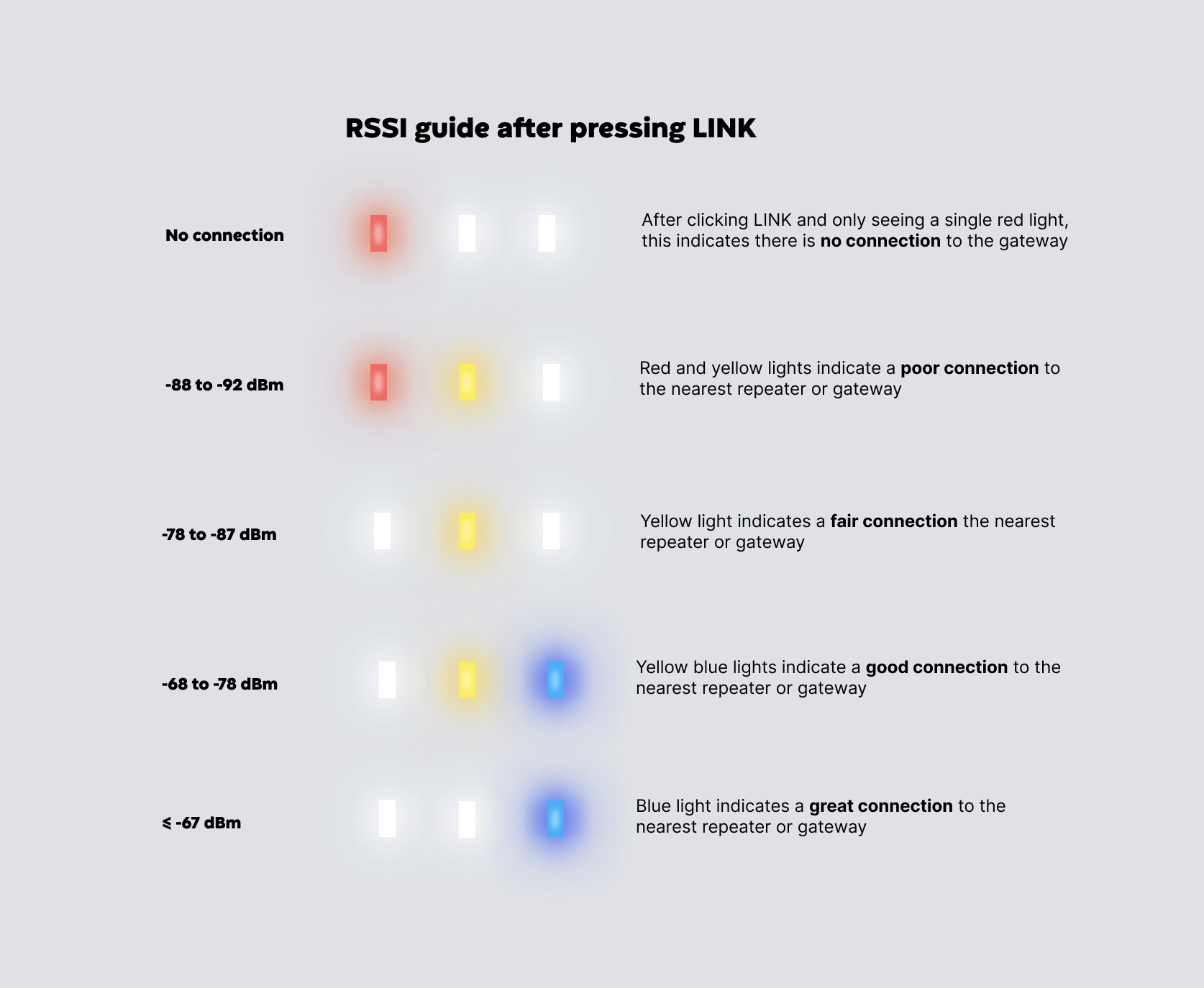
The hardest part isn't the office view, it's the field. An installer standing in a stairwell with no laptop still needs to know two things instantly: is this device on the network, and is the signal secure enough to trust.
The Strategy
Make the network legible everywhere
I led product development on a proprietary IoT mesh network of modems, gateways, self-healing repeaters, and sensors that route around dead spots automatically. The guiding bet: expose the same network health two ways, so the people who keep it running never have to guess.
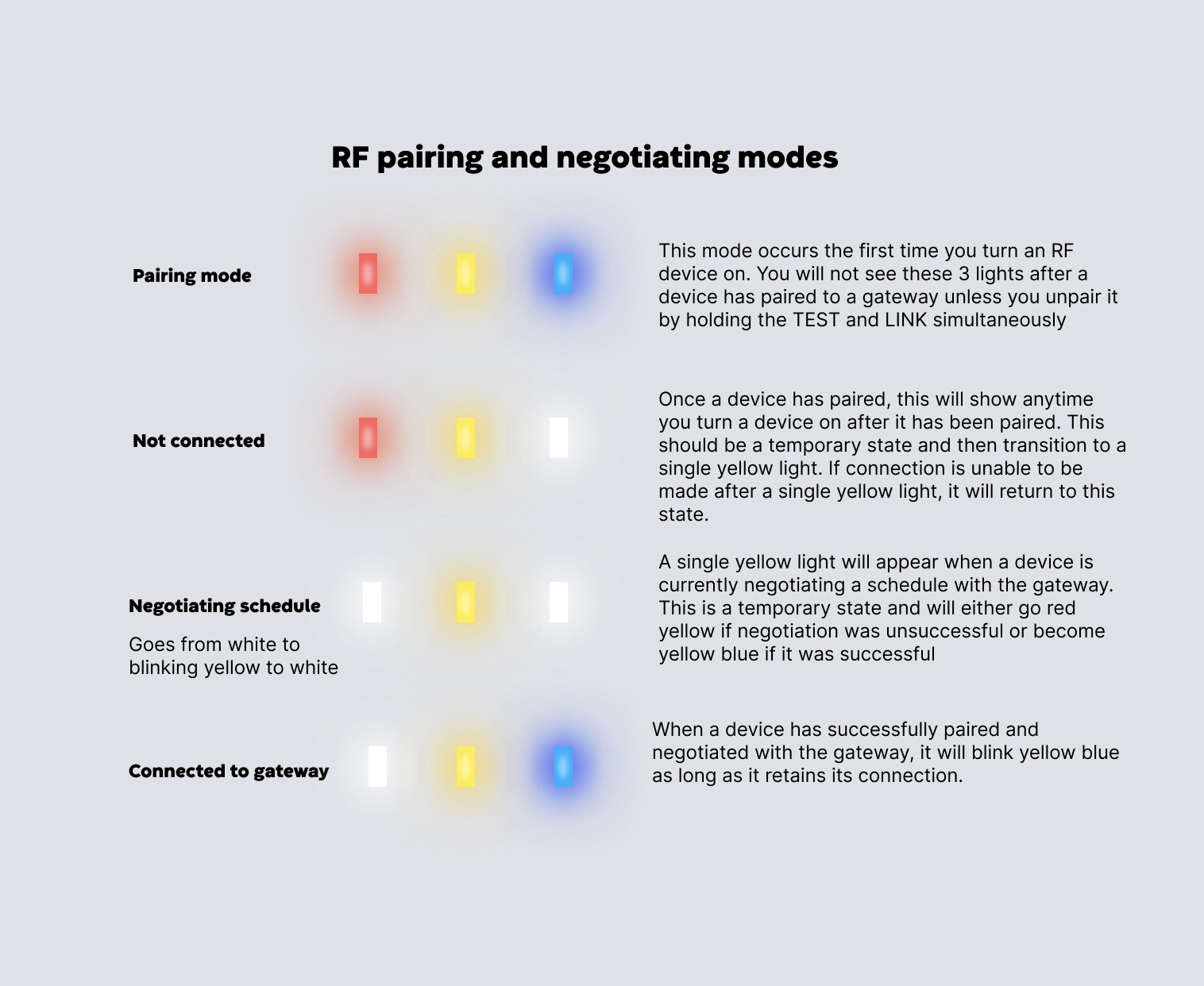
Remotely, a management app and dashboard show every modem, gateway, repeater, and device with live status, signal strength, and history. Physically, an on-device light language lets a field tech read pairing state and signal quality from across a room, no screen required.
The Solution
One network, three ways to read it
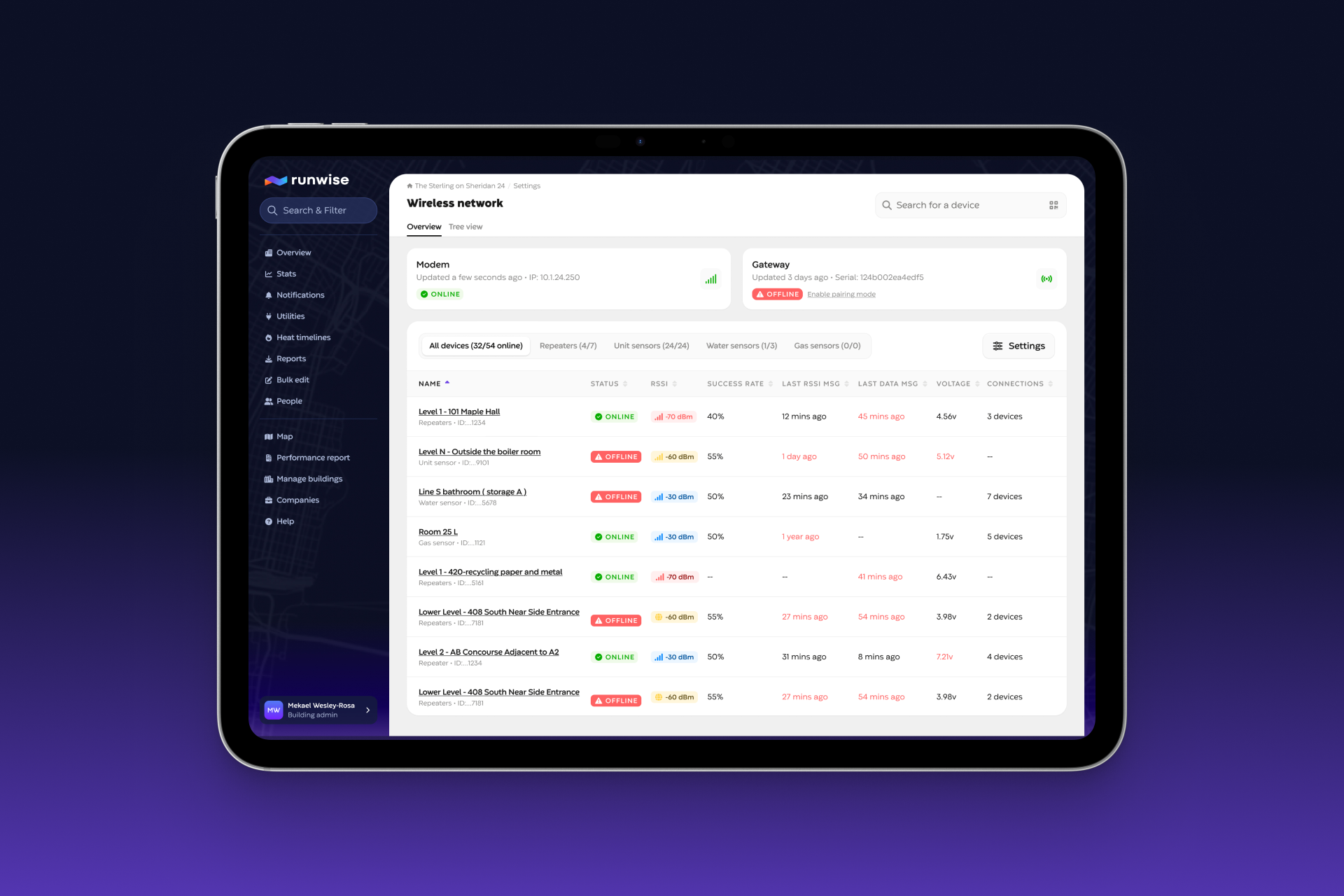
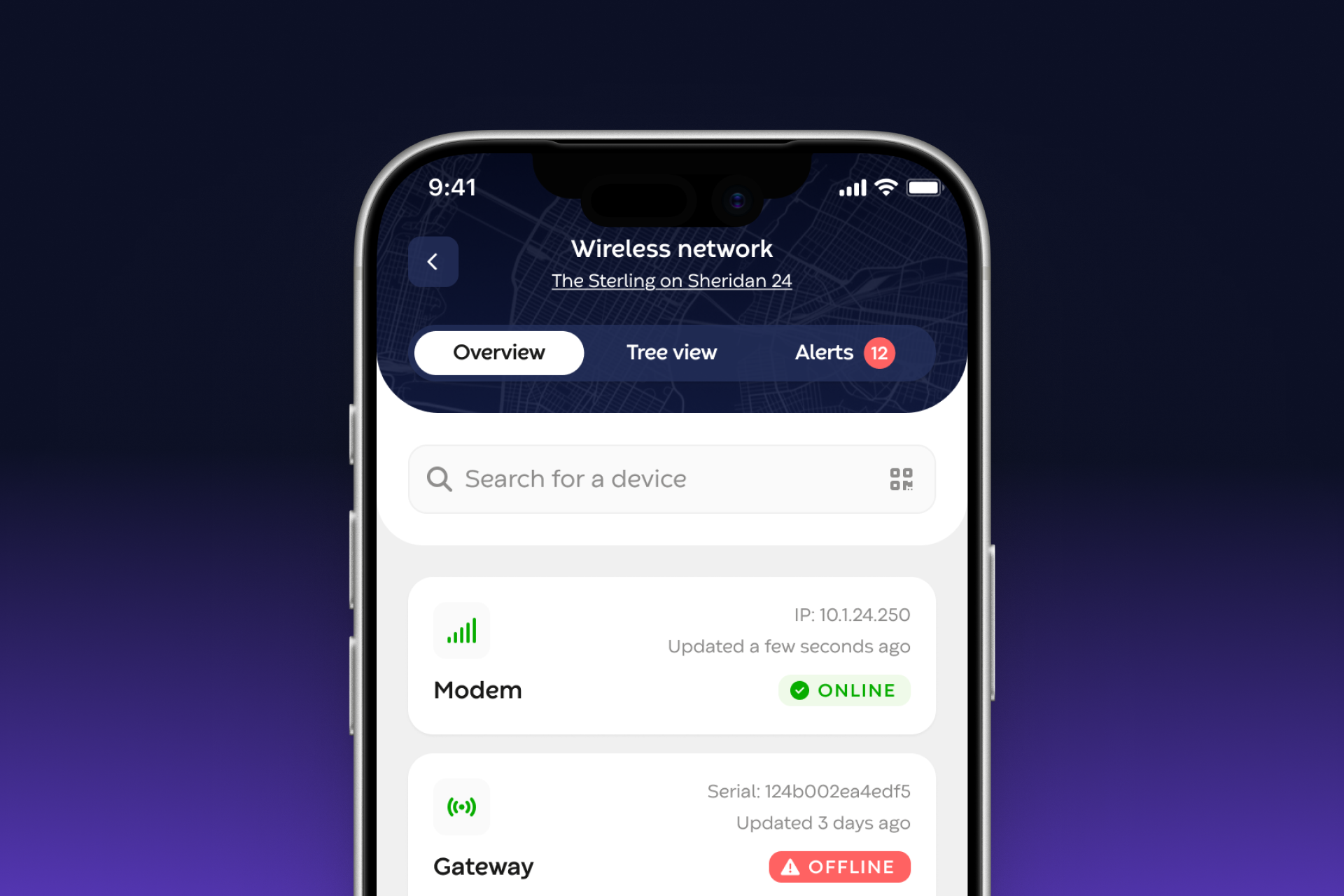
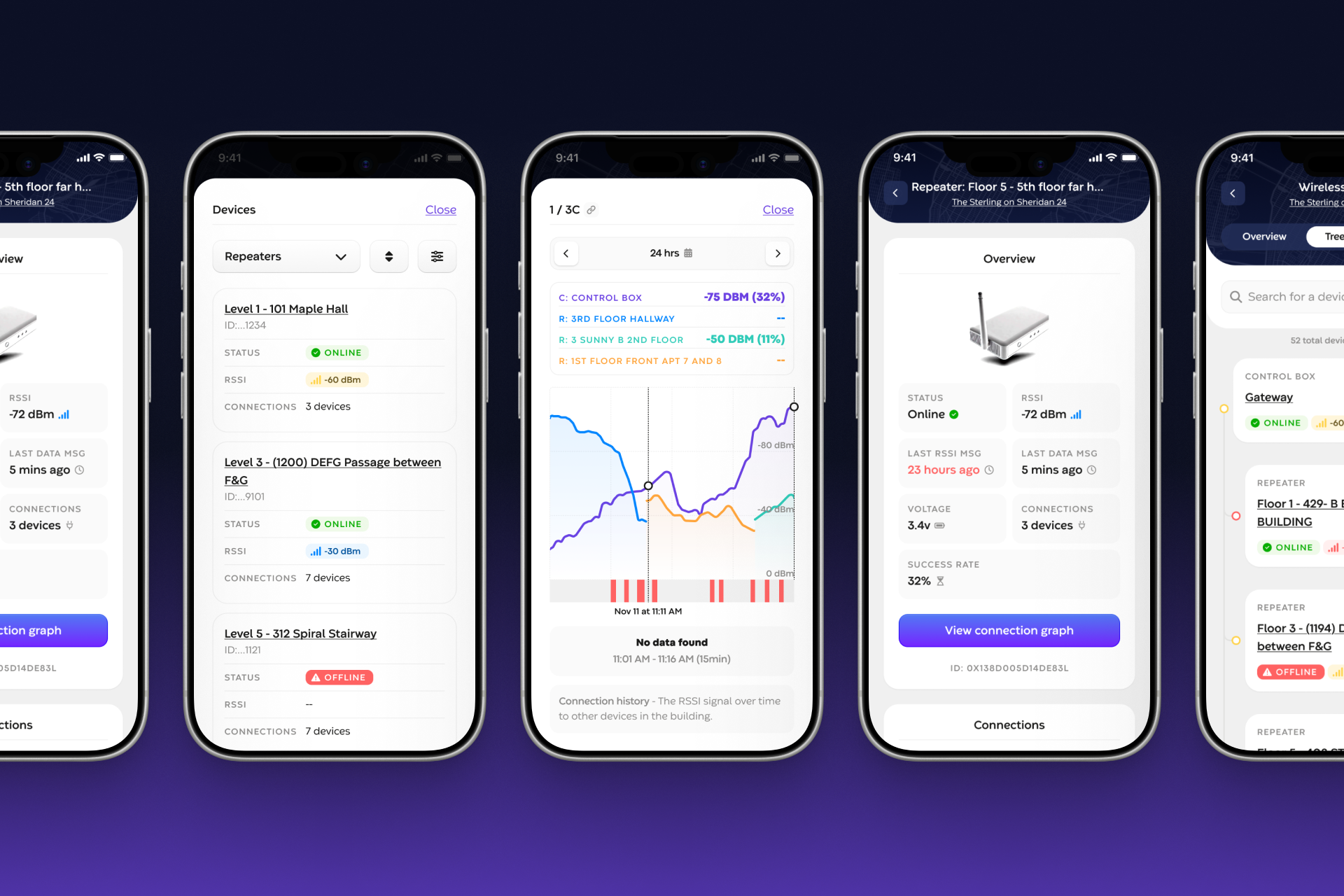
The management app puts the whole network in one place: modem and gateway status up top, then a searchable list of every device with its connection strength, path routing, packet success rate, and other relevant metrics. A tree view shows the path of how each device transmits back to the gateway, and alerts surface the moment a link drops, so a weak branch gets attention before it goes dark.
The Impact
Connectivity people can trust, and fix themselves
The Wireless Network turned connectivity from a support liability into a self-serve strength. The Runwise industry-leading proprietary IoT mesh keeps battery-powered devices connected reliably across all types of buildings, without significant interference and with 200% more battery efficiency than competitors, so sensors last for a decade without needing to be touched.
Because network health is legible in two places, a management app for the office and a light language on the device itself, a field tech can pair a sensor, determine signal strength, and place a repeater without a laptop or a call to support. The same in-app guidance lets end users install Runwise wireless space sensors themselves, removing the need for a trained technician on 40% of installs and 1–2 days from each. It is the connective tissue under Smart Control Hardware and every sensor Runwise ships.