Field Guide
Installing a Runwise system into a building used to take a team of trained technicians and a binder of tribal knowledge. Field Guide is the 0–1 software product that replaced both: a step-by-step install flow that walks anyone through placing, powering, and verifying every device, right on their phone.
The Challenge
Every install depended on a specialist
A Runwise system spans dozens of devices per building, and each one has to be placed, powered, and paired correctly or the data it sends is worthless. That precision lived in the heads of a small number of trained technicians, so installs were slow, hard to schedule, and expensive, and onboarding a new technician took about a month.
A misplaced sensor or a missed step rarely failed loudly. It surfaced later as a bad reading or a no-show device, turning a five-minute mistake into a return trip. To scale, the company needed installs that anyone could do right the first time.
The Strategy
Turn the install manual into interactive software
I built Field Guide as a 0–1 product that encodes the entire install procedure into a guided, screen-by-screen flow, for two audiences: trained technicians installing a full system, and end users self-installing Runwise wireless unit sensors.
The core bet was validation at every step. Each screen confirms one thing before it unlocks the next, placement against clear criteria, power-on verified by the device's own lights, and a required installed photo, so mistakes are caught at the source instead of on a return trip.
The Solution
A guided flow for every device
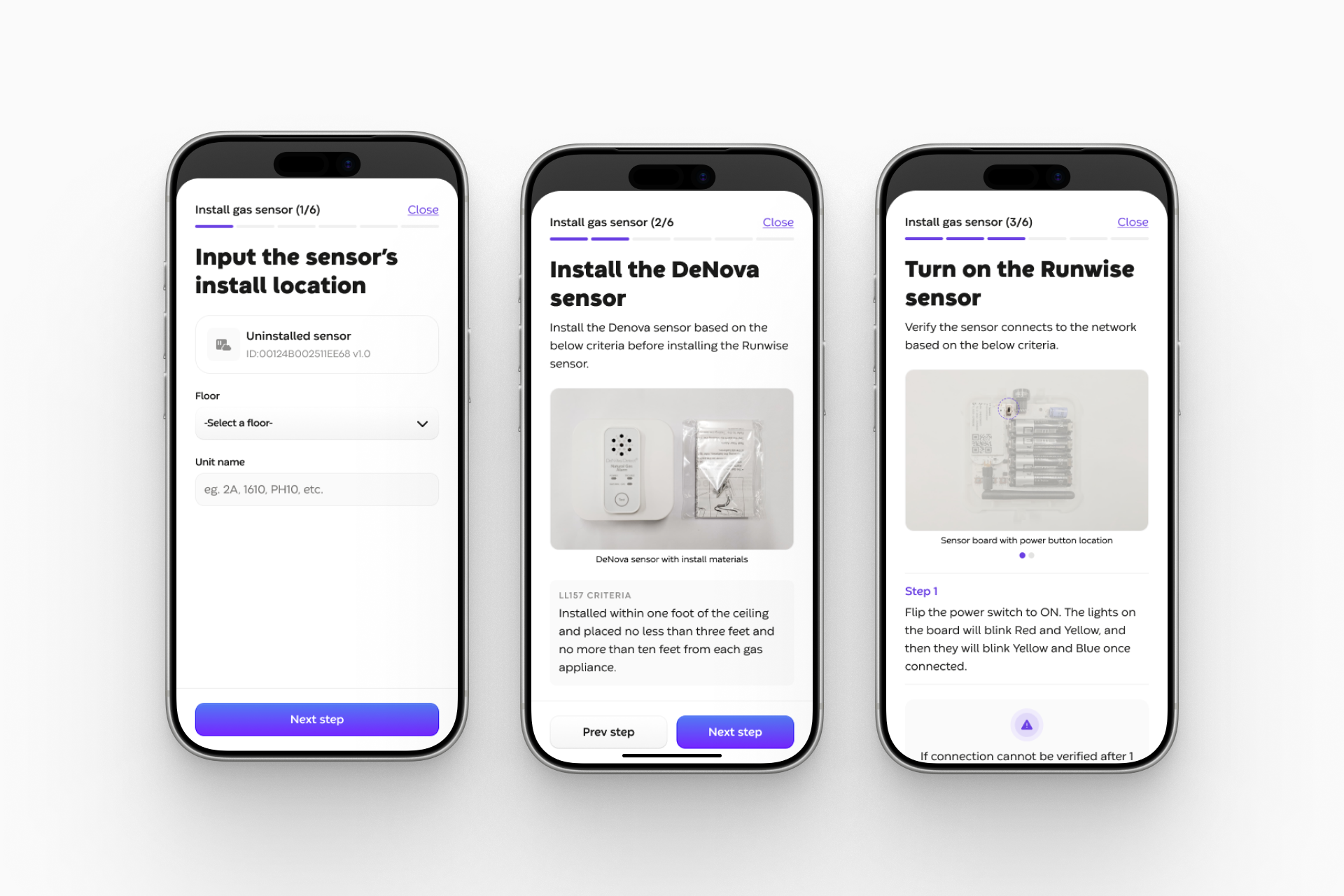
Field Guide breaks each install component into numbered steps, so progress is always obvious. The gas-sensor flow, for example, sets the install location by floor and unit, walks through placement criteria for the sensor, and confirms power-on through the device's LED light language, the same colors used across the Wireless Network.
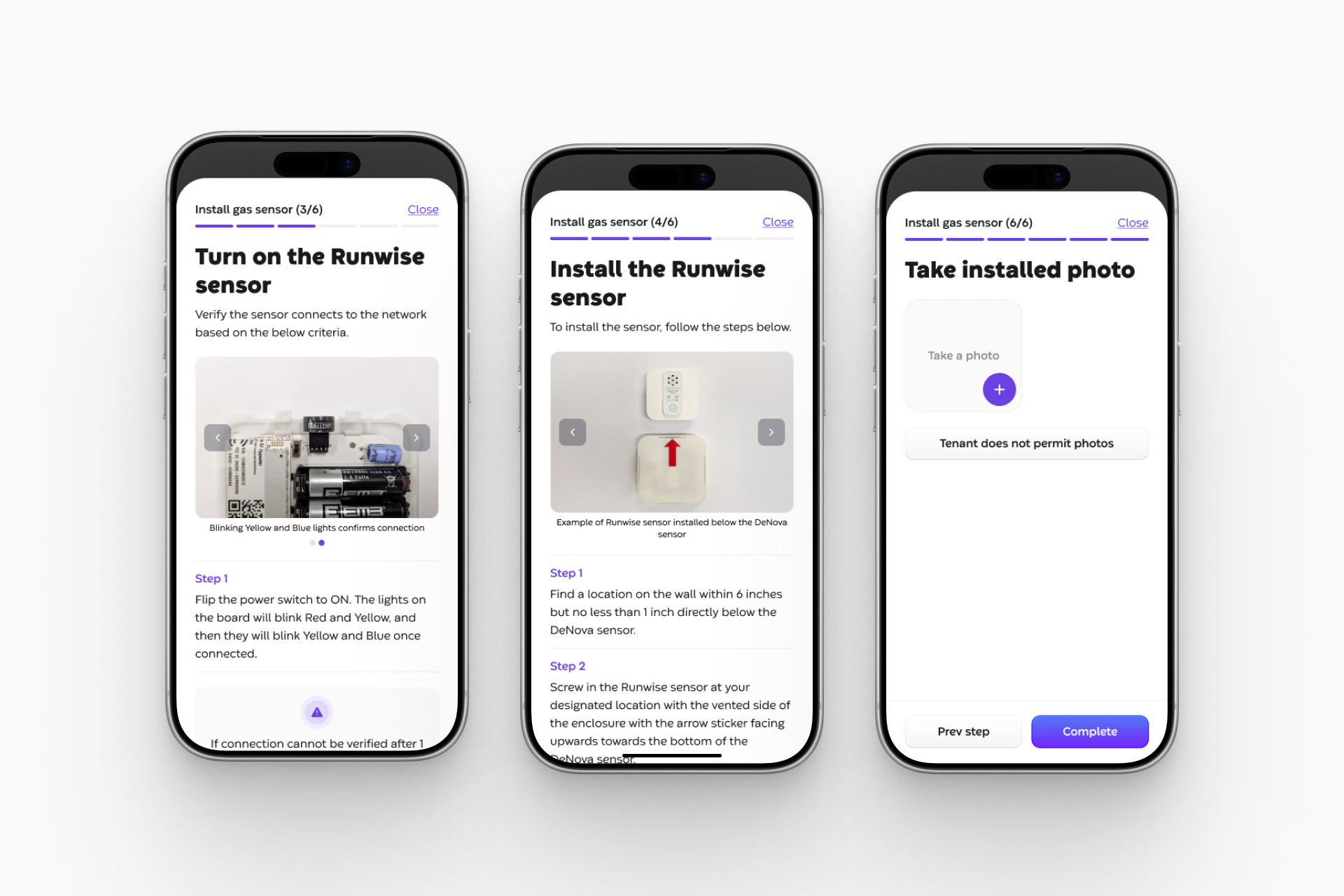
From there it guides mounting the Runwise sensor to spec, then requires an installed photo before the job can be marked complete, leaving a verified record of every device in every unit.
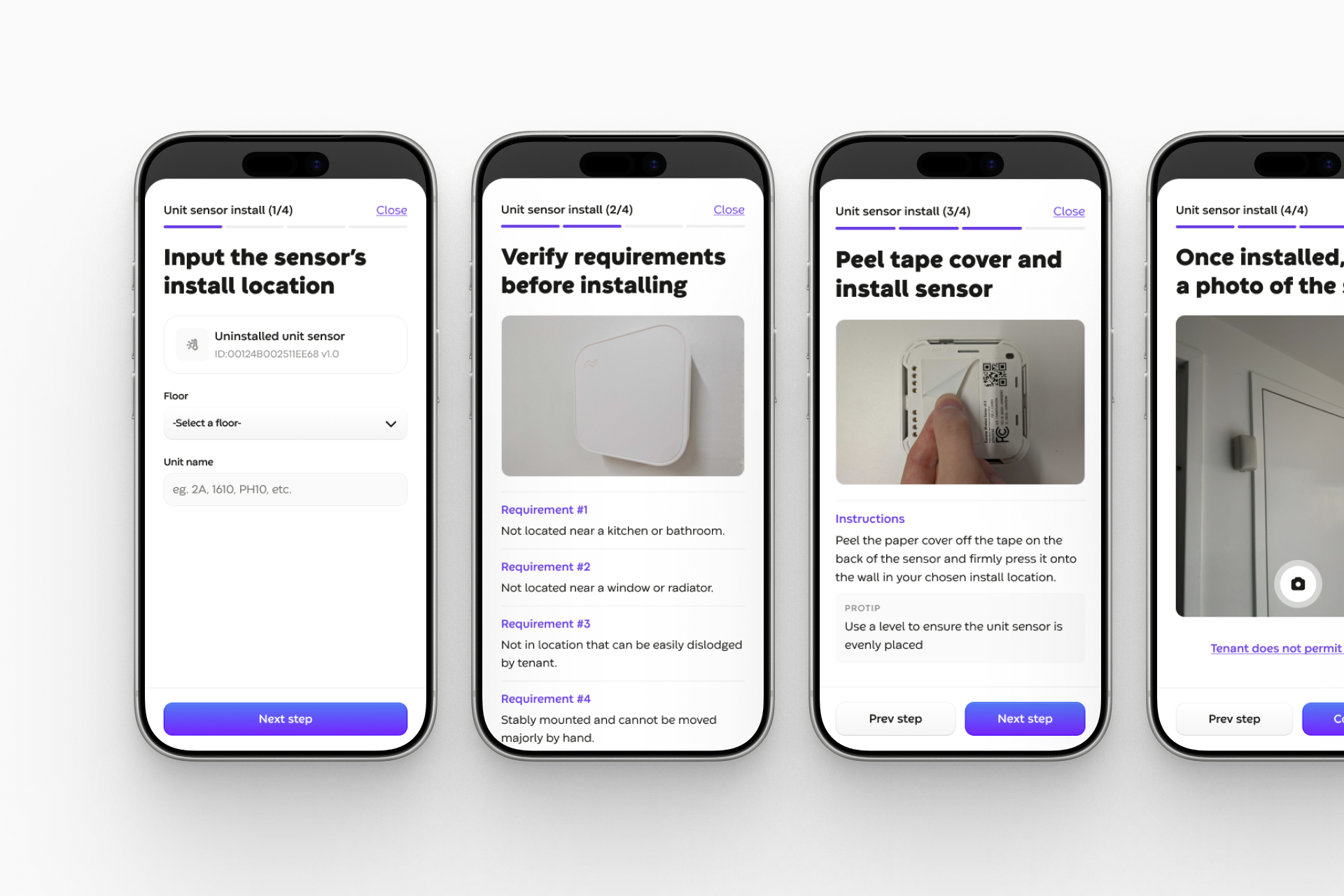
The same guided pattern works for end users. A separate four-step flow walks a resident through self-installing a wireless unit sensor, set the location, check the placement requirements, peel-and-stick, and finish with a photo, no technician required.
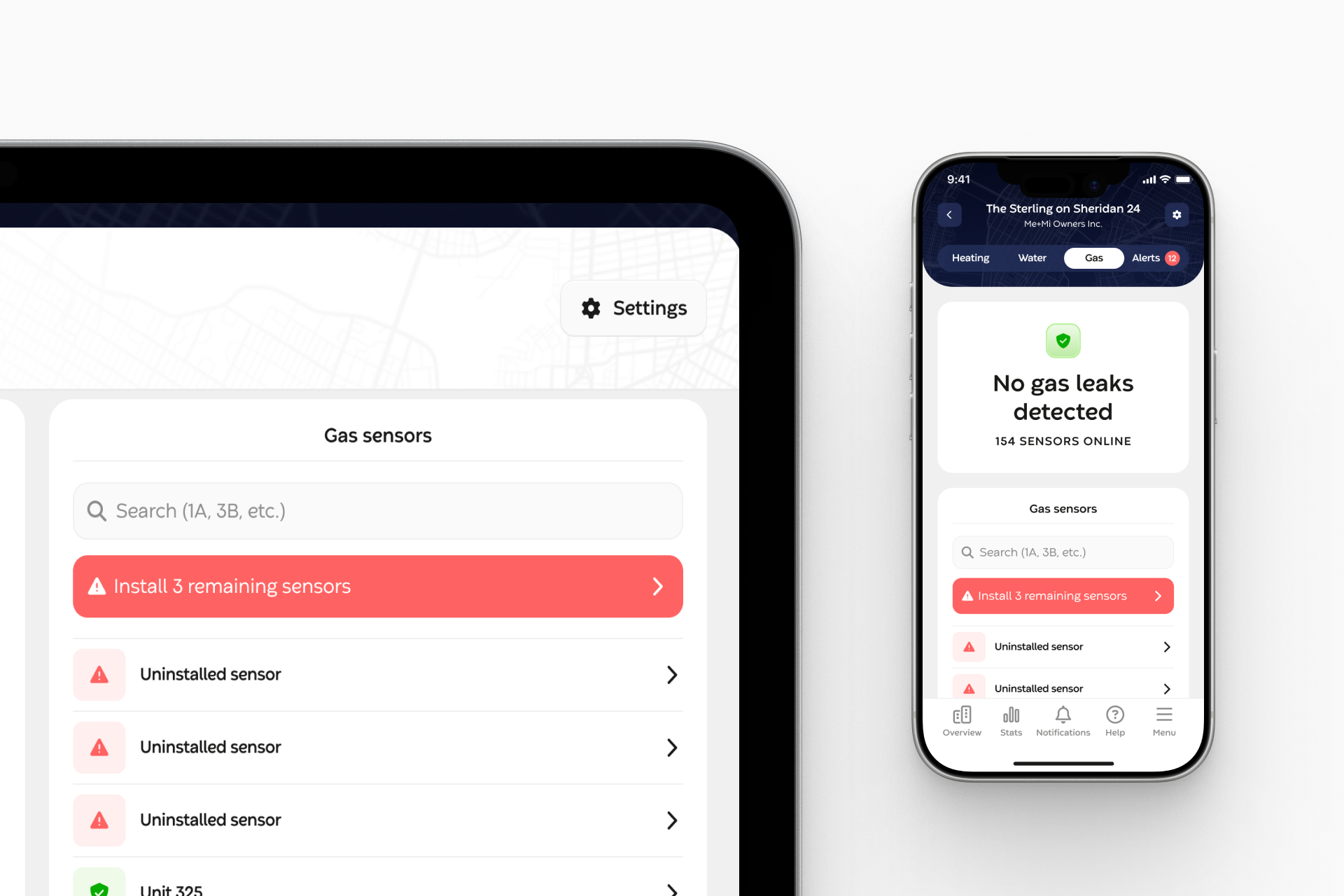
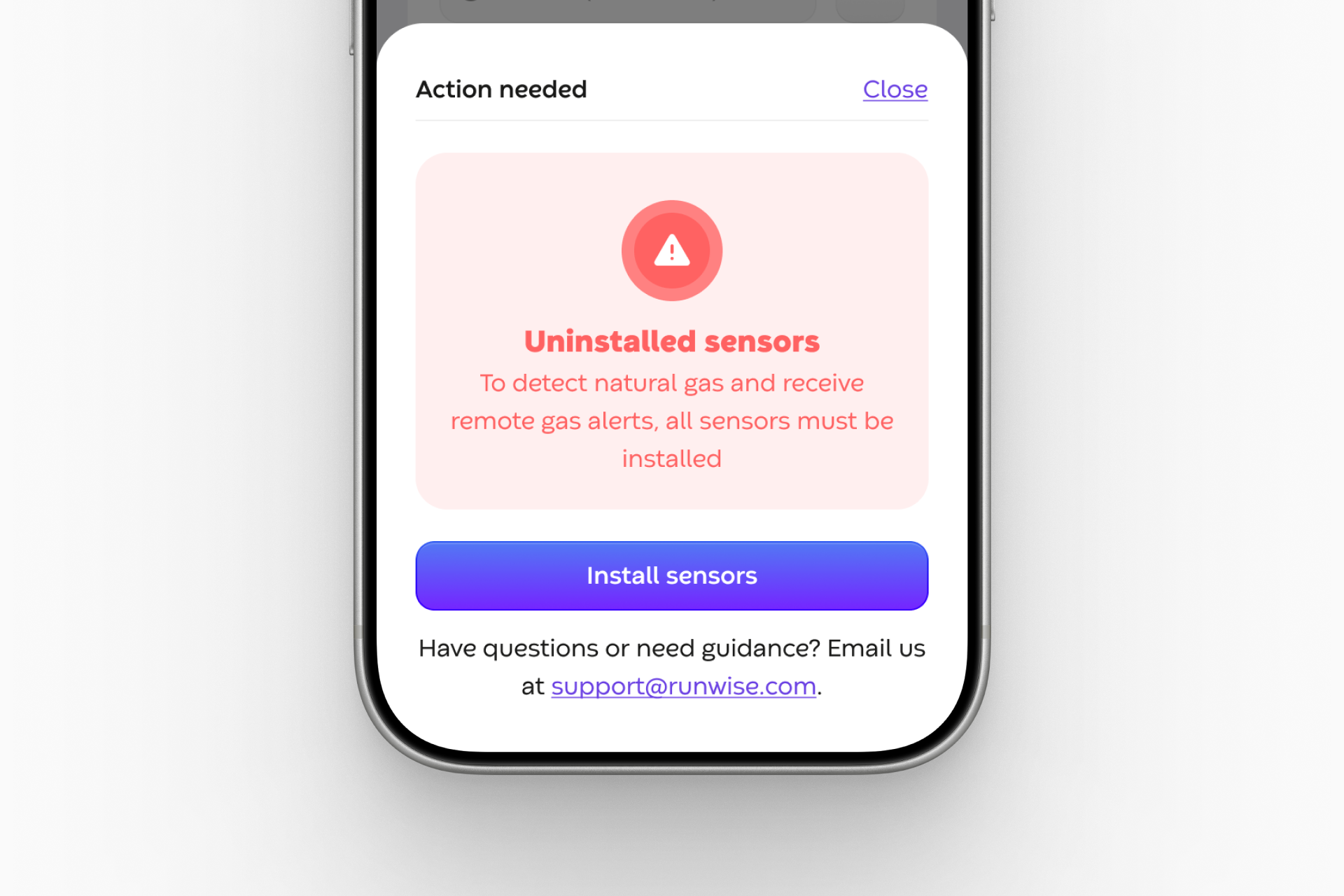
Because a half-installed building can't detect all possible leaks, Field Guide also tracks completion. A live roster shows which sensors are online and which still need installing, and an action-needed prompt nudges the right person to finish, so coverage is never left to chance.
The Impact
An install anyone can get right the first time
Field Guide turned installation from Runwise's hardest-to-scale step into a repeatable, self-serve process. As a 0–1 product, it guided technicians through a full system install, cutting install costs by $300K a year through error reductions, lifting weekly install capacity by 35%, and reducing technician training time by a full month.
A companion flow let end users install Runwise wireless space sensors themselves, removing the need for a trained technician for sensor installs entirely and reducing installation revisits by 20%+. By validating placement, power-on, and a photo at every step, Field Guide caught mistakes at the source, protecting the data quality that Smart Control Hardware and the Wireless Network depend on.